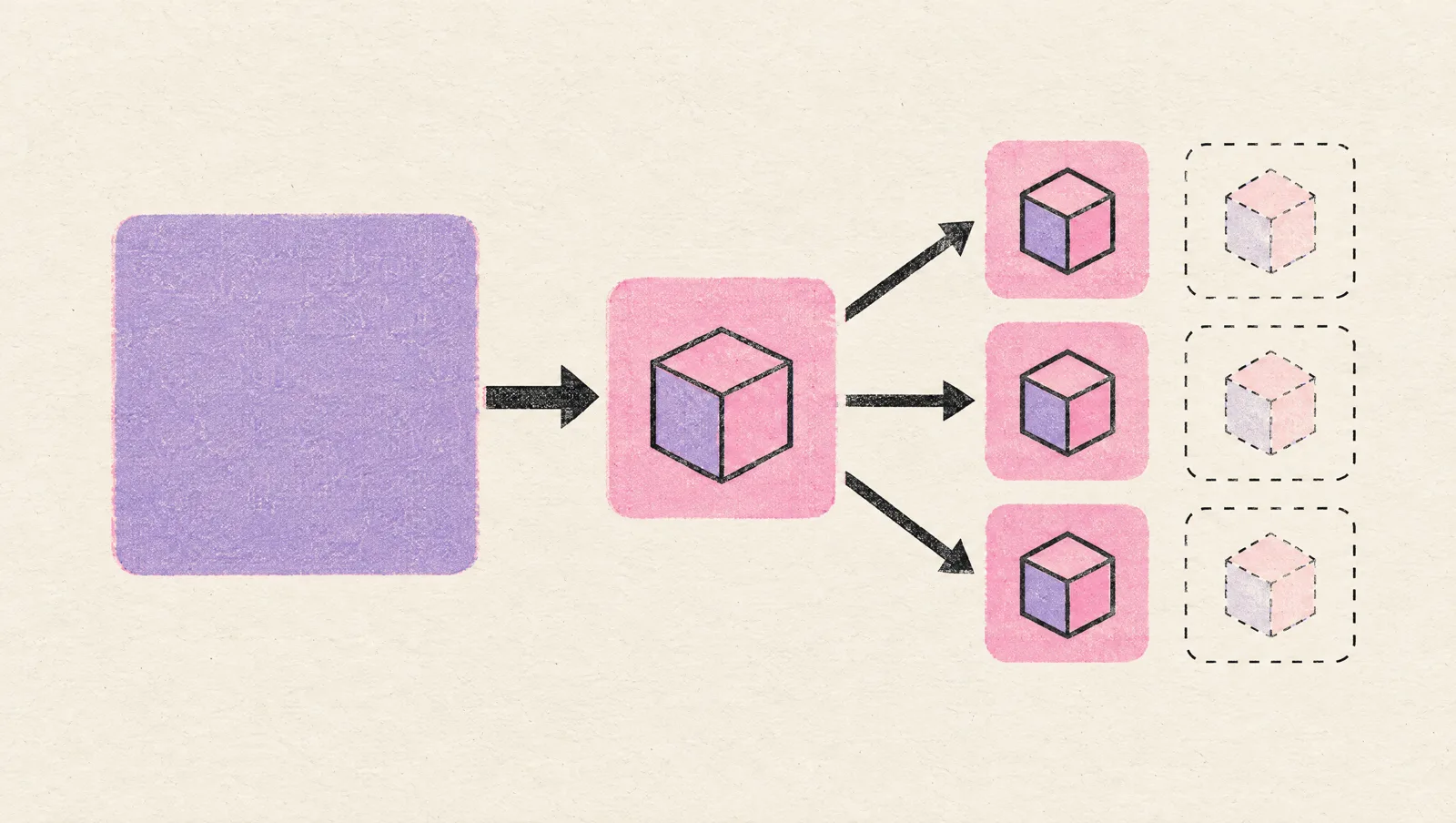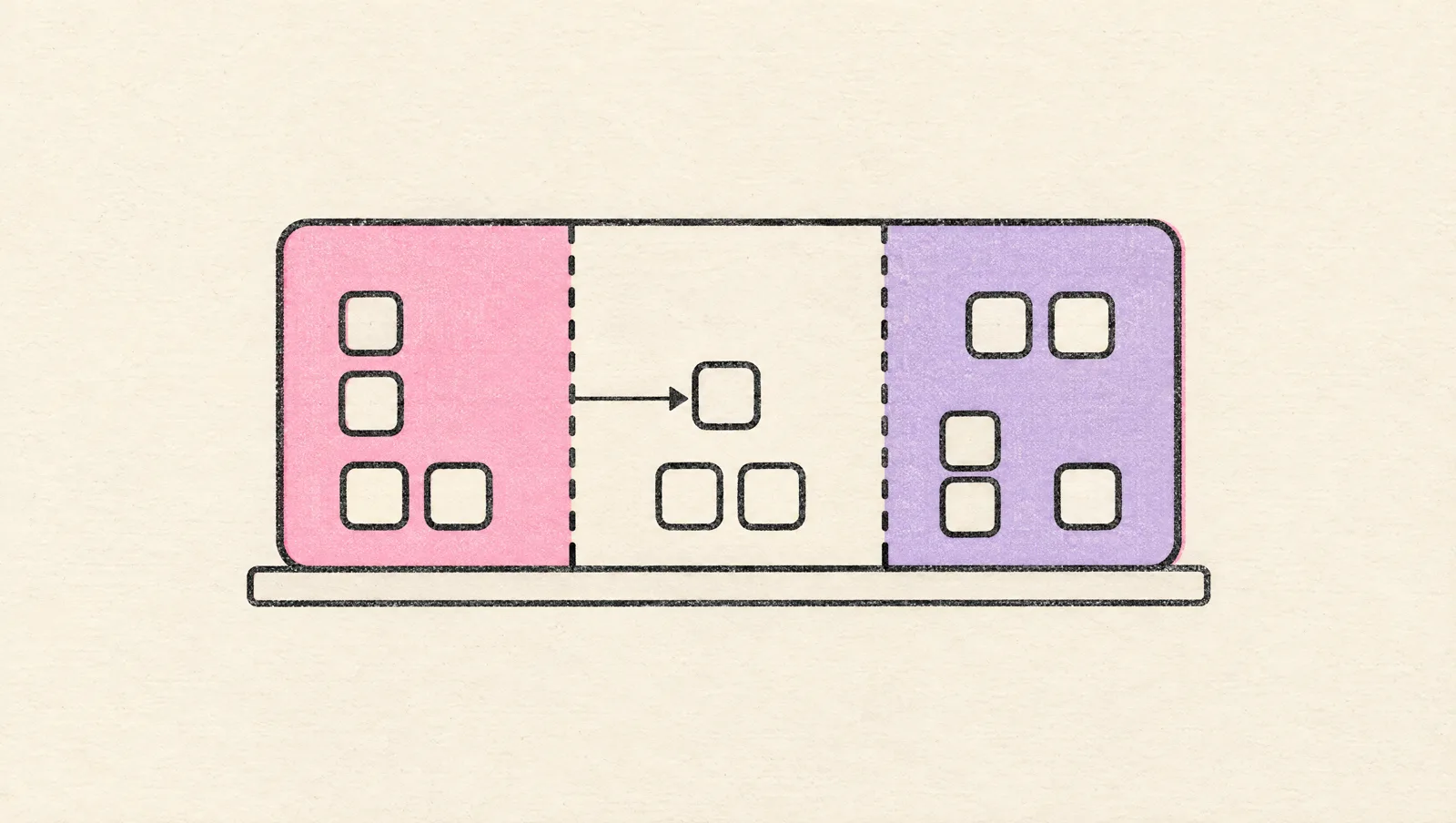
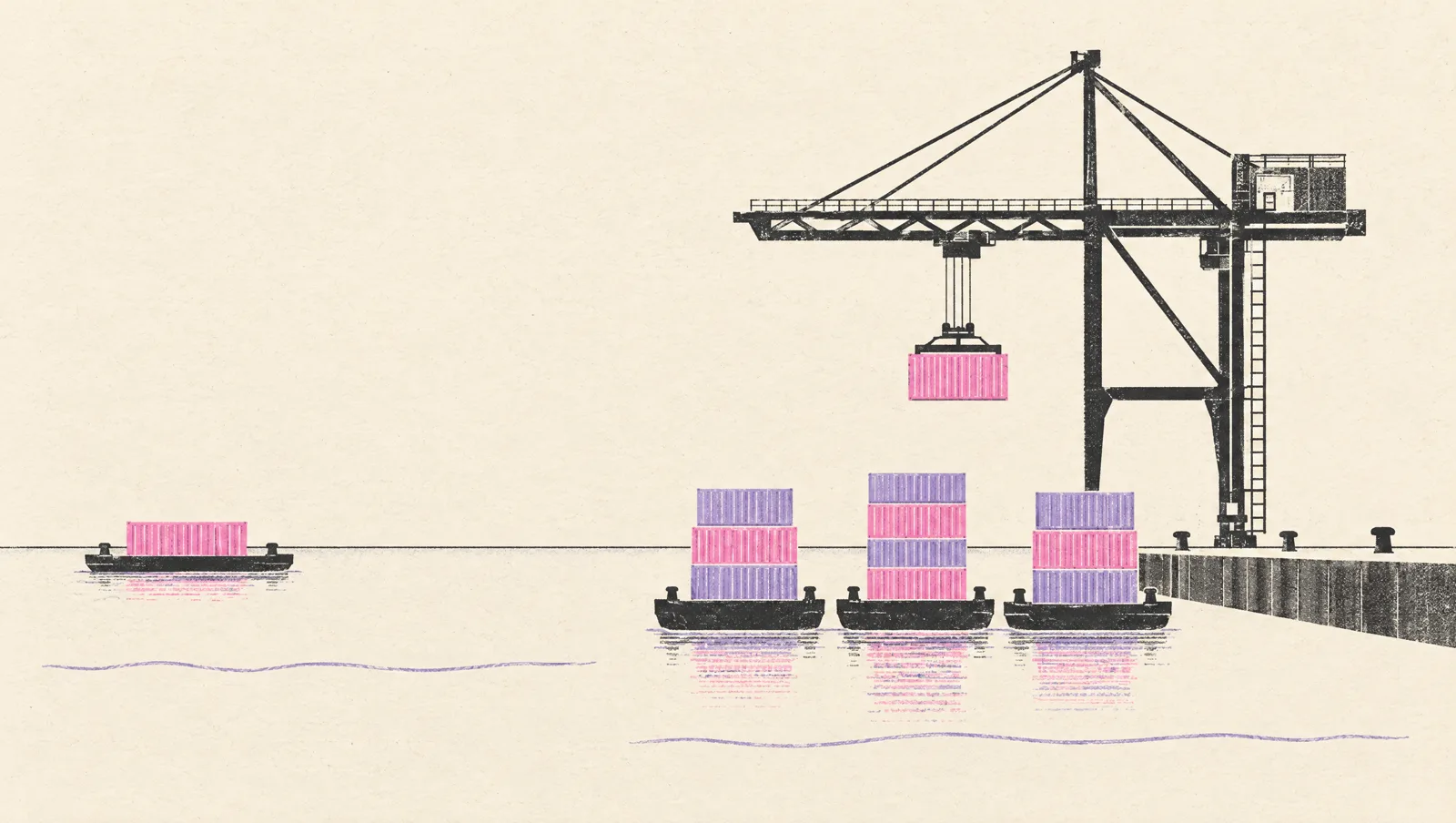

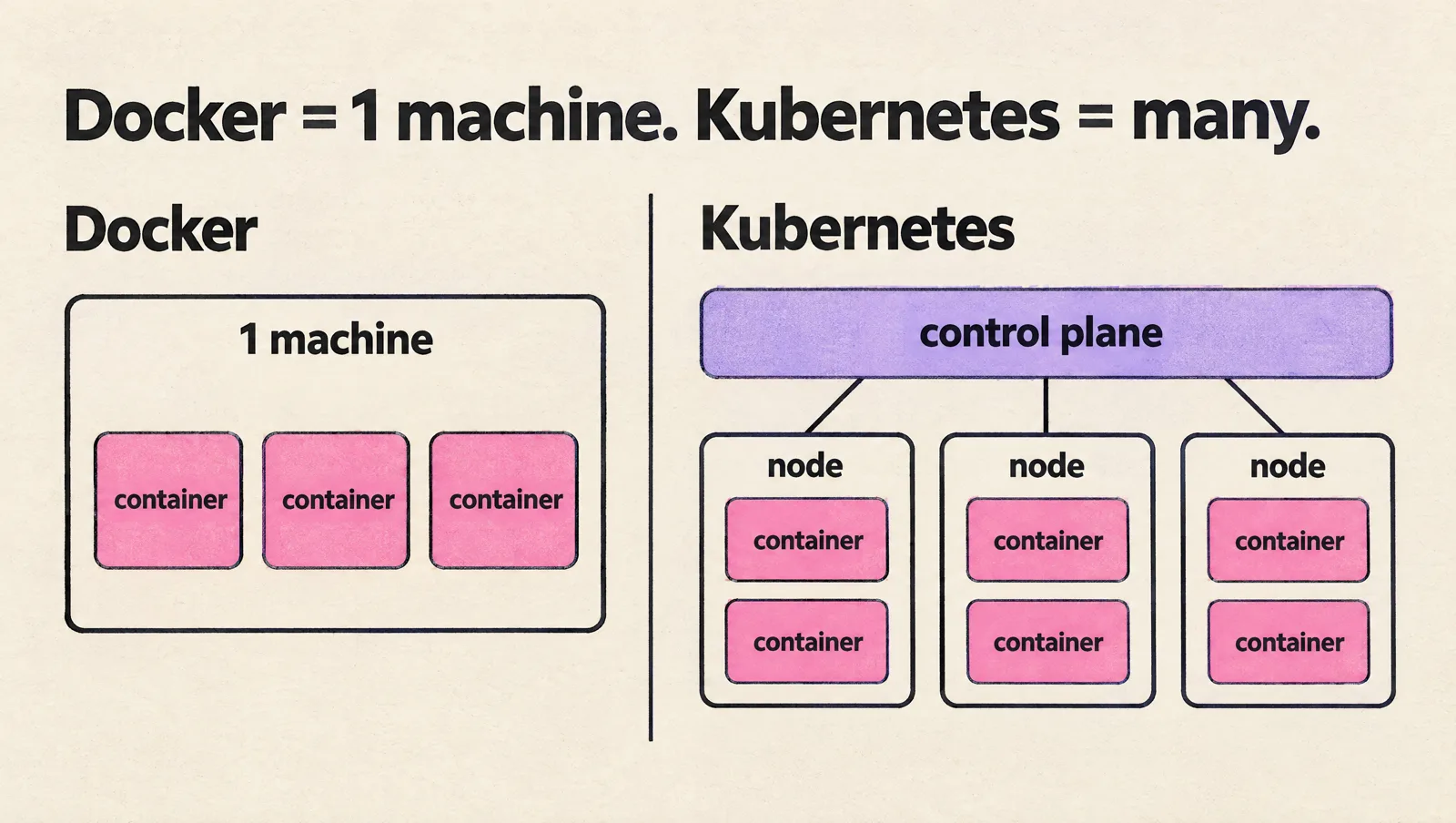
Docker and Kubernetes do 2 different jobs, and the choice you are really making is between 1 machine and many:
Bottom line
- Docker = build an image and run it as a container on 1 machine. A laptop, a CI runner or a single server
- Kubernetes = keep containers running across many machines. It places them, restarts them, replaces them and routes traffic to them
- They work together. You build the image with Docker, push it to a registry, and Kubernetes runs it
- Kubernetes stopped using Docker Engine in v1.24. Nodes on EKS, GKE and AKS run containerd. Your Docker-built images run on it unchanged
- The real comparisons are Docker Compose vs Kubernetes and Docker Swarm vs Kubernetes. Both come down to how many machines you have to survive losing
| Docker | Kubernetes | |
|---|---|---|
| Job | Build images, run containers | Run containers across a cluster |
| Scope | 1 machine by default | Up to 5,000 nodes |
| You write | A Dockerfile, a compose.yaml | YAML manifests |
| If the machine dies | The app is down | Pods are rescheduled on other nodes |
| Price of the software | Engine is free and open source | Open source. A managed control plane is $0.10 an hour |
What to do, by where you are today:
| Your situation | What I would do |
|---|---|
| 1 product, 1 server, a small team | Docker Compose with a restart policy and a healthcheck |
| Containers in the cloud and nobody to run a platform | ECS on Fargate, Cloud Run or Azure Container Apps |
| Several teams, many services, deploys every day | Managed Kubernetes: EKS, GKE or AKS |
| Already on Docker Swarm and it works | Stay. Plan the move the day you need something it lacks |
On Kubernetes with scripts that call docker on the nodes | Replace them with kubectl and crictl |
Deciding whether your product needs Kubernetes yet? Book a free consultation call to examine what it would take to get your DevOps setup production-grade: environments, deployments, monitoring, security, and costs.
Find your situation:
- You want the 2 definitions in plain words: what Docker does and what Kubernetes does
- Someone told you Kubernetes dropped Docker: what changed in v1.24
- You want to see the code: the same web server, 4 ways
- You run Compose in production and wonder how long it lasts: Docker Compose vs Kubernetes
- You are choosing a platform this quarter: the 5 questions
Docker builds and runs containers on 1 machine
Docker is 4 things that people call by 1 name.
- A build tool.
docker buildreads a Dockerfile and produces an image - An image format. An image is a package of everything the app needs to start: OS files, runtime, dependencies, code
- A registry. Docker Hub stores images so other machines can pull them
- An engine. Docker Engine runs the image as a container on the machine it is installed on
A container, in Docker's own words, is "an ordinary process on your computer" that runs in isolation.
It shares the machine's kernel, which is what makes it lighter than a virtual machine.
Inside Docker Engine there are 3 layers:
dockerd (the daemon and its API) → containerd (the container lifecycle) → runc (starts the process)
Remember containerd. It comes back in the Kubernetes story.
Docker Desktop is the app for Mac, Windows and Linux that bundles the Engine, the CLI, Compose and a local Kubernetes.
Docker Engine is free and open source. Docker Desktop needs a paid subscription for companies with 250 or more employees or $10 million or more in annual revenue.
Docker = 1 machine. Out of the box, everything Docker Engine does, it does on the host it runs on. (Swarm mode, further down, is the exception you switch on.)
Kubernetes keeps containers running across many machines
The Kubernetes site defines it as "an open source system for automating deployment, scaling, and management of containerized applications."
In simple words: you tell Kubernetes what should be running, and it keeps it running across a group of machines.
A cluster has 2 parts:
- The control plane: the API server, etcd (the database), the scheduler and the controllers
- The nodes: machines that run your containers. Each one runs a kubelet and a container runtime
What it does that a single Docker host does not:
- Scheduling. You say how much CPU and memory a container needs. Kubernetes picks the node
- Self-healing. A failed container is restarted. A failed node's workloads are rescheduled on other nodes
- Rollouts and rollbacks. New Pods come up while old ones go down, at a controlled rate. By default at most 25% are unavailable at a time
- Service discovery and load balancing. A Service gives a changing set of Pods 1 stable name
- Autoscaling. More Pods when CPU rises, more nodes when Pods do not fit. Both need an add-on: Metrics Server and a node autoscaler
- Config and secrets. Changed without rebuilding the image
Kubernetes v1.37 supports clusters of up to 5,000 nodes and 150,000 Pods.
The docs also list what Kubernetes is not, and this is the part most comparisons skip:
- It "does not deploy source code and does not build your application". You still need something that builds images
- It "does not dictate logging, monitoring, or alerting solutions". You bring those
- It does not come with a database, a cache or a message bus
- A Service of type LoadBalancer needs a cloud, or a load balancer you provide: "Kubernetes does not directly offer a load balancing component"
Kubernetes = many machines that behave like 1. You pay for that with moving parts.
Kubernetes stopped using Docker Engine in v1.24
In December 2020 the Kubernetes project announced it was deprecating Docker as a container runtime.
The internet read it as "Kubernetes is dropping Docker". The project later admitted: "We didn't do a great job communicating this".
What actually happened:
- In the early days Kubernetes supported 1 runtime: Docker Engine
- Kubernetes then defined the Container Runtime Interface (CRI), so the kubelet could talk to any runtime
- Docker Engine does not speak CRI, so Kubernetes carried an adapter inside the kubelet, called dockershim
- v1.20 announced the removal of dockershim. v1.24 removed it
- Nodes now run a CRI runtime directly, and the common one is containerd
Before v1.24, with Docker as the runtime: kubelet → dockershim → Docker Engine → containerd → runc
Since v1.24: kubelet → containerd → runc
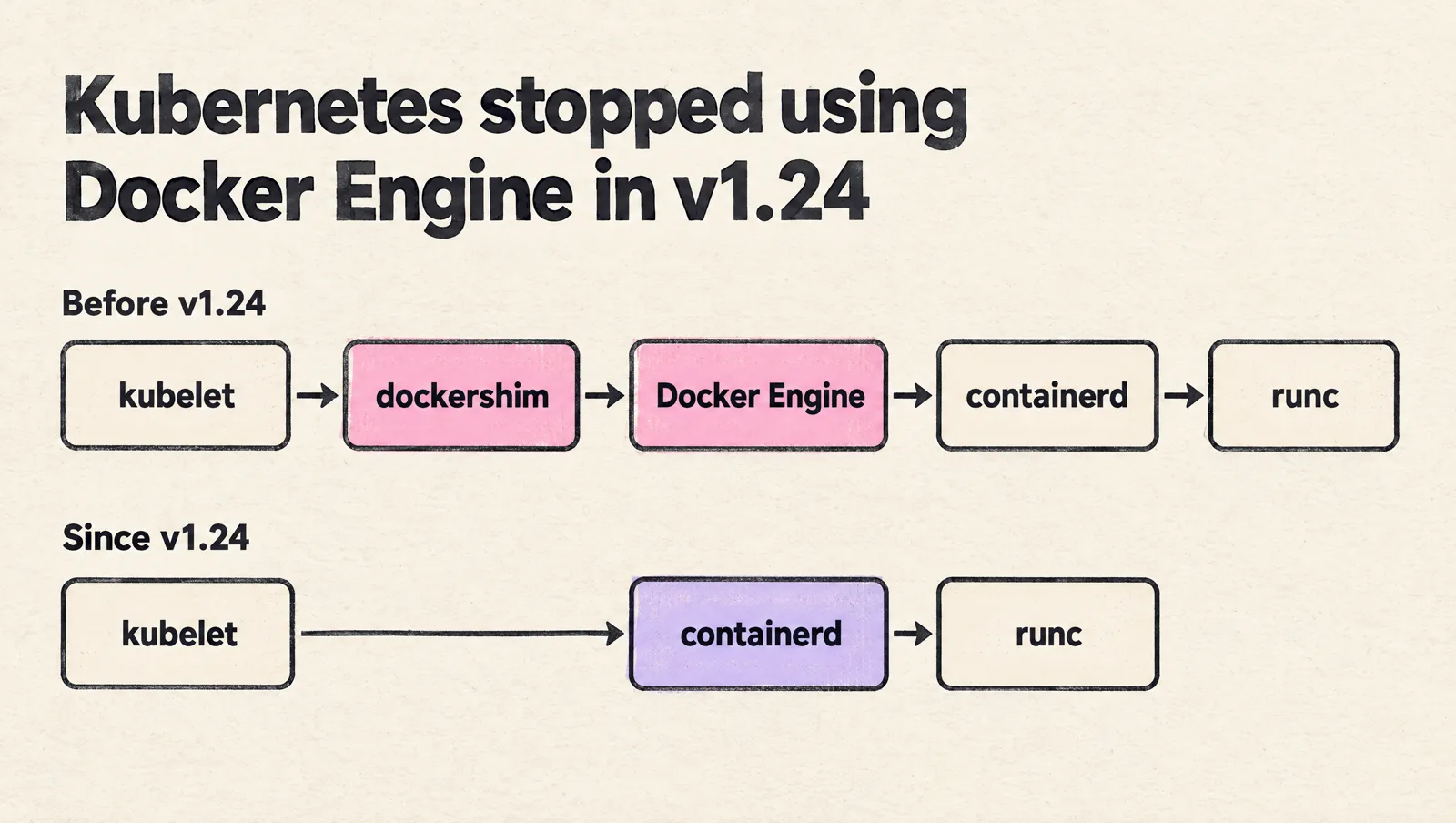
Kubernetes cut out the middle of the chain. The part that starts your container was containerd before, and it is containerd now.
The 3 big managed services agree: EKS-optimized Amazon Linux images come with containerd, GKE uses containerd on all node images, and AKS uses containerd on Linux node pools.
Your Docker images still run
The Kubernetes blog, in a post titled "Don't Panic: Kubernetes and Docker": "Docker-produced images will continue to work in your cluster with all runtimes, as they always have."
Why? An image built by Docker is an Open Container Initiative (OCI) image. containerd and CRI-O both pull and run OCI images.
Docker on your laptop and in your CI is unaffected. Building with Docker does not make you depend on Docker as a runtime.
What changes on a node
docker psanddocker execdo not see Kubernetes containers. They are "not visible to Docker"- An image you build with
docker buildon a node is invisible to Kubernetes until you push it to a registry - A Pod that mounts
/var/run/docker.sockto build images breaks - Monitoring or security agents that expect Docker Engine on the node need a version that talks to containerd
The replacements:
# Which runtime does each node use? Read the CONTAINER-RUNTIME column
kubectl get nodes -o wide

# On the node itself, instead of docker ps
crictl ps -a
You can still run Docker Engine under Kubernetes through an adapter called cri-dockerd, maintained by Mirantis and Docker. I would only do it for a workload that truly needs the Docker socket.
containerd vs Docker is a part vs the whole
containerd was born at Docker in 2014 as the lower layer of the Docker engine. Today it is a graduated Cloud Native Computing Foundation (CNCF) project.
Docker Engine = containerd + a build tool + a CLI + an API + networking and volumes for 1 host.
A Kubernetes node needs only the first item on that list. GKE says it plainly: "You cannot use containerd to build container images."
So you keep both: Docker where images are built, containerd where they run.
The same web server in Docker, Compose, Swarm and Kubernetes
4 ways to run nginx, from the smallest to the largest. Every command and field below is taken from the Docker and Kubernetes references.
1. docker run: 1 container
docker run -d -p 8080:80 --name web --restart unless-stopped nginx-d runs it in the background, -p 8080:80 publishes container port 80 on host port 8080, and --restart unless-stopped brings it back after a crash or a reboot.
2. Docker Compose: 1 application on 1 host
# compose.yaml
services:
  web:
    image: nginx:latest
    ports:
      - "8080:80"
    restart: unless-stopped
    healthcheck:
      test: ["CMD", "curl", "-f", "http://localhost"]
      interval: 1m30s
      timeout: 10s
retries: 3docker compose up -dThe command in test runs inside the container, so the image has to contain it.
3. Docker Swarm: several hosts, Docker commands
docker swarm init --advertise-addr <MANAGER-IP>

docker service create --name web \
  --replicas 3 \
  --publish published=8080,target=80 \
  nginx

docker service update --image nginx:stable web
docker service update --rollback web
docker service scale web=5
Port 8080 answers on every node of the swarm, including nodes that run no copy of the service.
4. Kubernetes: a cluster, declared in YAML
# web.yaml
apiVersion: apps/v1
kind: Deployment
metadata:
  name: web
  labels:
    app: web
spec:
  replicas: 3
  selector:
    matchLabels:
      app: web
  template:
    metadata:
      labels:
        app: web
    spec:
      containers:
      - name: web
        image: nginx:latest
        ports:
        - containerPort: 80
---
apiVersion: v1
kind: Service
metadata:
  name: web
spec:
  type: LoadBalancer
  selector:
    app: web
  ports:
  - port: 80
targetPort: 80kubectl apply -f web.yaml
kubectl rollout status deployment/web
kubectl set image deployment/web web=nginx:stable
kubectl rollout undo deployment/web
kubectl scale deployment/web --replicas=5
kubectl autoscale deployment web --min=2 --max=10 --cpu=60%1 line became about 30. They buy you 3 copies that the scheduler tries to spread across machines, a cloud load balancer in front of them, and a rollout you can undo.
If you need the rest of the commands, the kubectl cheat sheet lists them by task.
Docker Compose vs Kubernetes: 1 host vs a cluster
"Docker for development, Kubernetes for production" is what half the internet tells you.
Docker disagrees: "Compose supports production deployments on single hosts."
I agree with Docker. A single server running Compose is a fine production setup for a product with 1 team and a tolerance for a few minutes of downtime.
What Compose gives you in production:
- Restart policies:
restart: unless-stoppedbrings a container back after a crash or a daemon restart - Healthchecks: Docker marks a container healthy or unhealthy. It does not restart an unhealthy one by itself
- Override files:
docker compose -f compose.yaml -f compose.production.yaml up -d - Remote deploys: point
DOCKER_HOSTat the server
Where it ends:
| Docker Compose | Kubernetes | |
|---|---|---|
| Machines | 1 host | A cluster of nodes |
| The host dies | Everything on it is down | Pods move to other nodes |
| Deploying a new version | Stops and recreates the container | Rolling update, old and new overlap |
| Rollback | Deploy the previous image again | kubectl rollout undo |
| Scaling | By hand, within 1 host | By hand or automatic, across nodes |
| Secrets | Environment variables and files | Secret objects (unencrypted in etcd by default in upstream Kubernetes) |
| Time to learn (my estimate) | An afternoon | Months |
The 2 rows that matter are the first 2. Compose = 1 host. When 1 host is no longer acceptable, you need a scheduler.
2 traps on the way out of Compose:
- The
deploysection (replicas, update_config, placement) is an optional part of the Compose Specification. A platform that does not support it ignores it, and the file is still valid docker stack deploy, the Swarm command that takes a Compose file, reads only the legacy version 3 format. The current Compose Specification format "isn't compatible" with it
To move a Compose file to Kubernetes, start with a converter and then edit by hand: kompose convert (a Kubernetes project) or docker compose bridge convert (Docker Desktop 4.43.0 and later).
(The converter writes the YAML. It does not write your readiness probes, your resource requests or your on-call rotation.)
Docker Swarm vs Kubernetes: the smaller cluster
Swarm mode is the clustering that ships inside Docker Engine. No extra software, 1 command to start: docker swarm init.
It does more than its reputation says:
- Replicated services that are rescheduled when a node fails
- Rolling updates, 1 task at a time by default, with rollback
- A routing mesh, so every node answers on a published port
- Service discovery through built-in DNS
- Secrets, encrypted in transit and at rest
- Mutual TLS between nodes by default
| Docker Swarm | Kubernetes | |
|---|---|---|
| Install | Built into Docker Engine | A managed service, or a project of its own |
| Control plane | 3 or 5 manager nodes. Docker recommends 7 at most | API server, etcd, scheduler, controllers |
| Scaling | You set the number of replicas | You set it, or an autoscaler does |
| Managed offering on AWS, Google Cloud, Azure | None | EKS, GKE, AKS |
| Ecosystem | Docker tooling | Helm, operators, Gateway API, most vendors |
| Commercial support | Mirantis | Every cloud and most vendors |
Is Swarm dead? No.
Classic Swarm, the 2014 standalone project, is archived, and Docker Engine dropped support for it in v23.0. Swarm mode is still in the Engine.
Mirantis, which sells it commercially, wrote in July 2025: "Swarm will be fully supported through at least 2030 as part of Mirantis Kubernetes Engine 3."
The Swarm docs describe no autoscaler: you declare the number of tasks and the manager keeps it.
My position: a Swarm that works today is no emergency. For a new platform I would not pick it, because the people, the tools and the cloud services you will hire and buy next year all assume Kubernetes.
What Kubernetes costs before it runs your app
The software is free. Running it has 3 prices.
1. The control plane fee
| Service | Standard | Extended support for an old version |
|---|---|---|
| Amazon EKS | $0.10 per cluster per hour | $0.60 per cluster per hour |
| Google GKE | $0.10 per cluster per hour | $0.60 per cluster per hour |
| Azure AKS | Free tier, or Standard at $0.10 per cluster per hour (East US) | $0.60 per cluster per hour for Long Term Support (East US) |
$0.10 an hour = about $73 a month per cluster. Before nodes, load balancers and disks.
$0.60 an hour = about $438 a month per cluster. On EKS that is what a cluster nobody upgraded costs, because extended support is on by default. On GKE and AKS you pay it only if you opt in.
GKE gives $74.40 of credit a month per billing account, which covers 1 zonal or Autopilot cluster. Microsoft says its Free tier clusters "are not meant to run at scale (>10 nodes)".
2. The upgrade treadmill
- Kubernetes ships about 3 releases a year
- Each release gets about 1 year of patches
- On EKS a version has 14 months of standard support, then the fee rises for 12 months, then AWS upgrades the control plane for you
Kubernetes = 1 upgrade project every few months, forever. (There is a guide for that too.)
3. Everything the docs say it does not include
An ingress or gateway controller. Metrics Server, without which autoscaling on CPU does nothing (GKE and AKS ship it). Logging. Monitoring. Encryption of Secrets at rest (off in upstream Kubernetes, on by default on EKS and GKE). A way to build images.
Each one is a choice, an install and something to upgrade.
The fee is the small part. The person who owns all of the above is the real price.
Containers without running Kubernetes yourself
Between "1 server with Compose" and "a Kubernetes cluster" there is a third option that most comparisons leave out.
| Service | What it is | Limits worth knowing |
|---|---|---|
| Amazon ECS on Fargate | AWS's own orchestrator, with no servers to manage and no control plane fee | Fixed task sizes, from 0.25 vCPU up to 32 vCPU |
| Google Cloud Run | Runs a container per request load and scales to zero | Request timeout of 5 minutes by default, 60 at most. 8 vCPU and 32 GiB per instance |
| Azure Container Apps | Serverless containers, built on Kubernetes | No access to the Kubernetes APIs. Up to 1,000 replicas per revision |
AWS App Runner used to be on this list. It is closed to new customers, and AWS points them to ECS Express Mode.
These services take a Docker-built image, give you rollouts and autoscaling, and leave you no cluster to upgrade.
What you give up: the Kubernetes ecosystem and the option to run the same setup on another cloud or in a customer's data center.
If you are on AWS and stuck between the two, I compared them in ECS vs EKS.
When to move from Docker to Kubernetes
5 questions:
- Does the product have to survive the loss of a machine with nobody awake?
- Do you deploy several times a day and need every deploy to cause zero downtime?
- Do more than 2 teams deploy more than 10 services to the same environment?
- Does load change enough during the day that fixed capacity wastes real money?
- Do you need something only the Kubernetes ecosystem has: operators, GPU scheduling, a Helm chart your customers install on their own clusters?
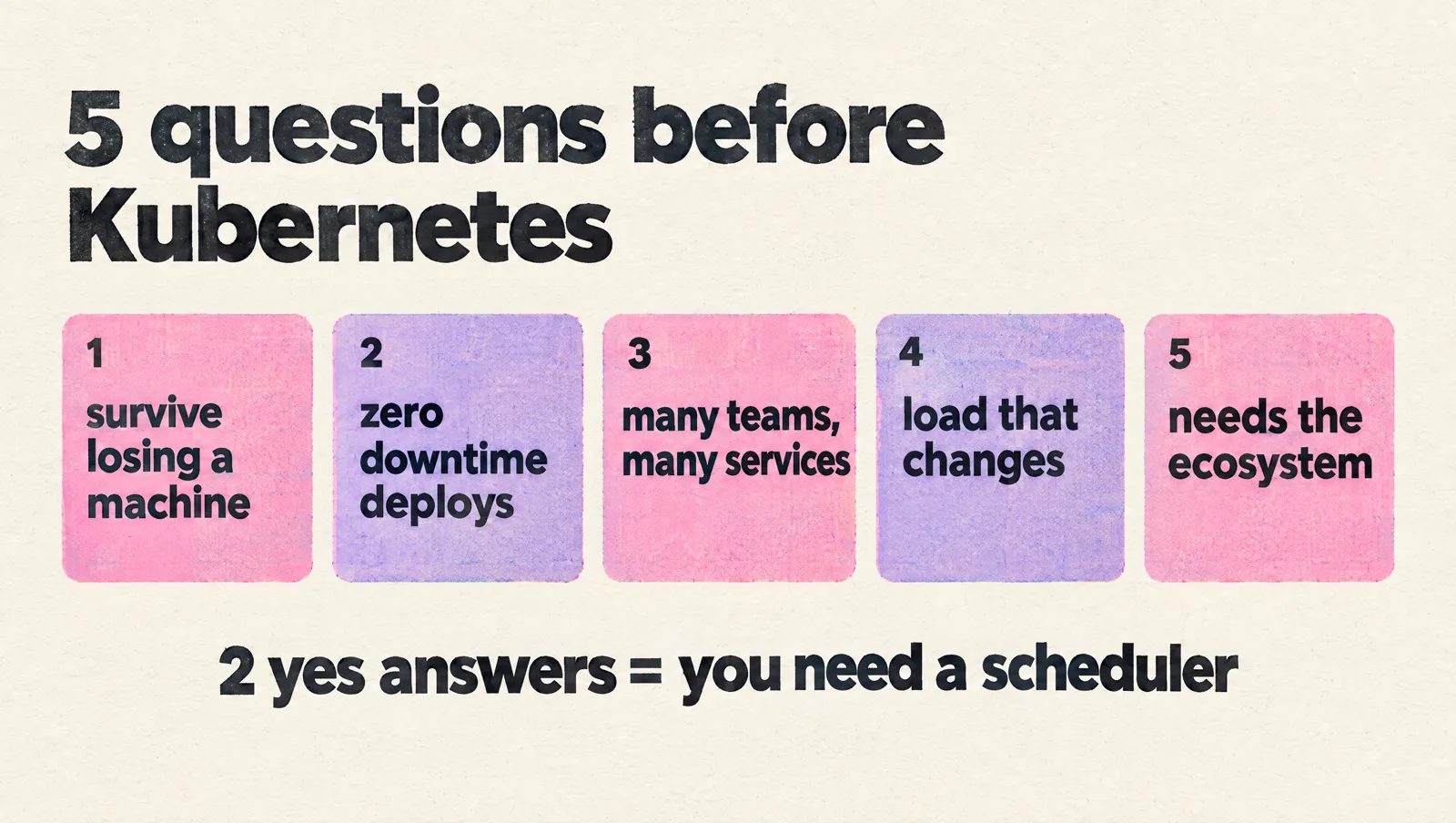
If you answered yes to 2 of the 5, you need a scheduler.
If the yes answers are only 1 and 2, a managed container service is enough.
If 3 or 5 is among them, it is Kubernetes.
The order I would walk it:
docker run → Docker Compose on 1 server → a managed container service → managed Kubernetes
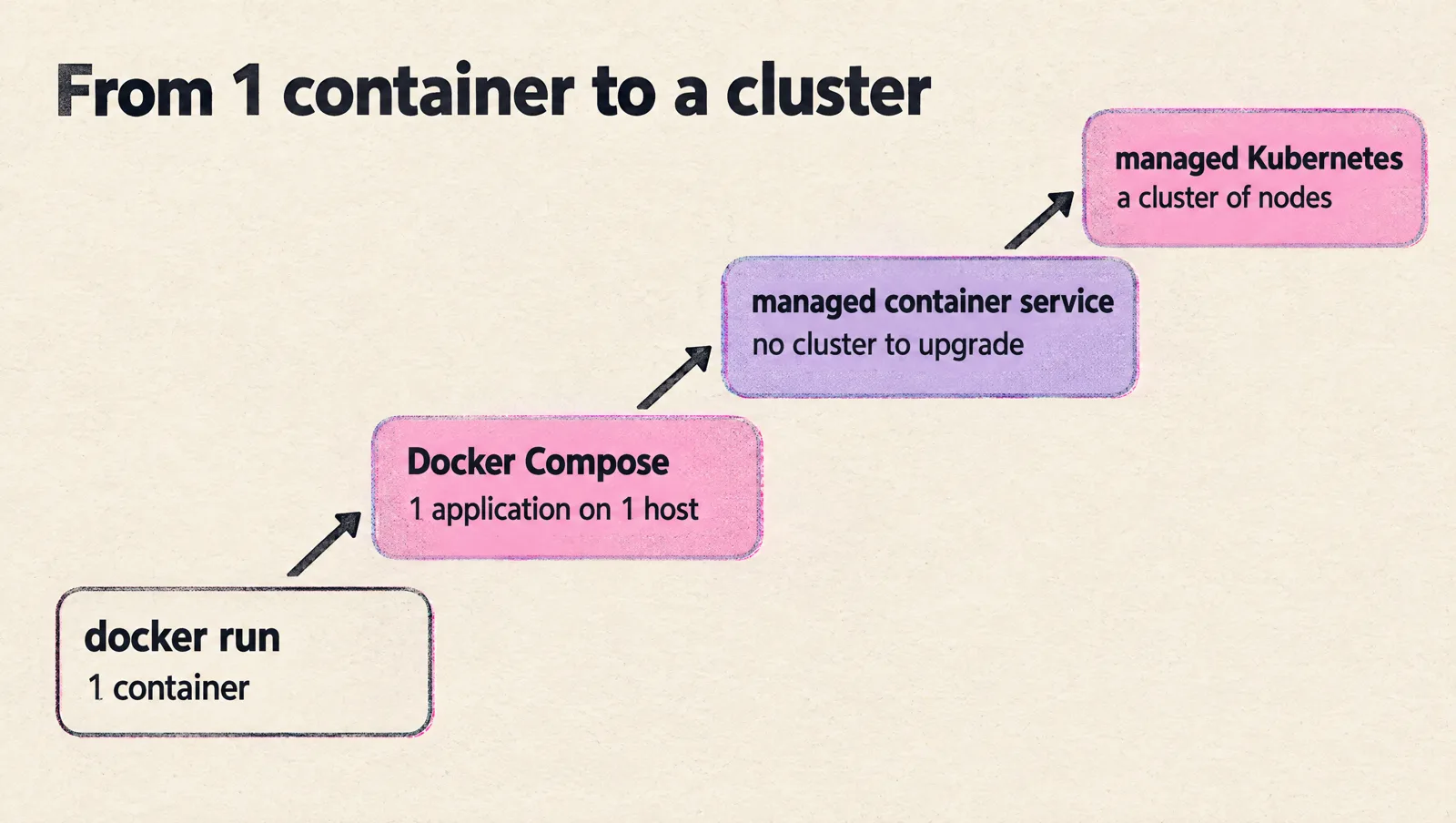
Skip a step when you have a reason. "Everyone uses Kubernetes" is a fact about everyone.
When you do move, pick a managed control plane. I wrote about the options in how to choose Kubernetes hosting for production, and about the move itself in how to plan a Kubernetes migration.
8 mistakes on the way from Docker to Kubernetes
| Mistake | Fix |
|---|---|
| CI jobs in the cluster mount the Docker socket to build images | Build outside the cluster, or with a daemonless builder such as buildah or rootless BuildKit |
Debugging a node with docker ps | crictl ps -a on the node, kubectl everywhere else |
| Pulling public images from Docker Hub with no login | Authenticate the pulls or mirror the images. The anonymous limit is 100 pulls per 6 hours per IPv4 address, and a cluster behind 1 NAT is 1 address |
| Image names without a registry | Know that Kubernetes assumes Docker Hub when the registry is missing |
-p 80:80 on a server with a public IP | Docker publishes on all interfaces and manages its own firewall rules. Bind to 127.0.0.1 when a reverse proxy sits in front |
| An autoscaler that never scales | Check that Metrics Server is running (GKE and AKS ship it) and set CPU requests on the Pods |
Copying kubectl autoscale ... --cpu-percent from an old tutorial | The current kubectl reference uses --cpu=60% |
| Docker Desktop on every laptop of a 300 person company with no subscription | Buy the subscription, or use Docker Engine on Linux, which is open source |
Kubernetes vs Docker checklist
Always:
- Build images with Docker (or any OCI builder) and push them to a registry
- Pin image tags.
latestis for examples like the ones above - Set a restart policy and a healthcheck on anything that runs under Docker in production
- Authenticate Docker Hub pulls from servers and clusters
- Answer the 5 questions before choosing a platform
- Take the managed control plane
- Budget the upgrades: about 3 Kubernetes releases a year
- Check that Metrics Server is running before you promise anyone autoscaling
- Check the CONTAINER-RUNTIME column before you write a node script
- Keep 1 person accountable for the cluster (shared accountability is how clusters reach extended support)
Kubernetes vs Docker FAQ
Which is better, Kubernetes or Docker?
Neither, because they do different jobs. Docker builds images and runs containers on 1 machine, Kubernetes runs containers across many machines, and you can use Docker to build what Kubernetes runs.
Is Kubernetes replacing Docker?
No. Kubernetes replaced Docker Engine as the runtime on its own nodes in v1.24, and developers kept Docker everywhere else. In the Stack Overflow 2026 survey, 59.1% of the developers who answered the cloud tools question had done extensive work with Docker or Docker Compose in the past year, and 26.0% with Kubernetes.
Can I use Kubernetes without Docker?
Yes, and on a managed cluster you already do. The nodes run containerd, and any tool that produces an OCI image can build for them.
Do I need to learn Docker before Kubernetes?
I would. Kubernetes runs images, and you cannot debug a Pod without knowing what an image, a container, a port and a volume are. Learn docker build, docker run and Compose first.
What is the difference between Docker Compose and Kubernetes?
Compose runs a multi-container application on 1 host. Kubernetes runs it across a cluster and replaces what fails. Start with Compose and move when 1 host stops being acceptable.
What is the difference between containerd and Docker?
containerd is the runtime inside Docker Engine that manages the container lifecycle. Docker adds the build tool, the CLI, the API and single-host networking on top of it. Most Kubernetes nodes run containerd alone.
Is Docker Swarm still supported?
Yes. Swarm mode ships in Docker Engine, and Mirantis has committed to supporting it through at least 2030 in its commercial product. Classic Swarm, the older standalone project, is archived.
Why are people moving away from Kubernetes?
In my view, the teams that leave are the ones that adopted it before they needed it. A cluster costs a control plane fee, an upgrade every few months and a person who owns it, and a product that fits on a managed container service gets none of that back.
A Recap!
If you take away 1 thing from this guide, let it be this:
Docker vs Kubernetes = 1 machine vs many. Count your machines before you pick a tool.
- Docker builds the image and runs it on 1 machine. Kubernetes keeps it running across many
- Kubernetes has not needed Docker Engine since v1.24. Your Docker-built images did not notice
- Compose is a production tool for 1 host. Docker says so
- A cluster costs $73 a month before it runs anything, and an owner after that
- 2 yes answers out of 5 = you need a scheduler. Kubernetes is 1 of 3 ways to get one
You don't NEED anyone for this. The 5 questions and the checklist above are the whole decision.
If you would rather talk it through with someone who has run both (yes, I sell DevOps engineers), book the free production setup consultation.